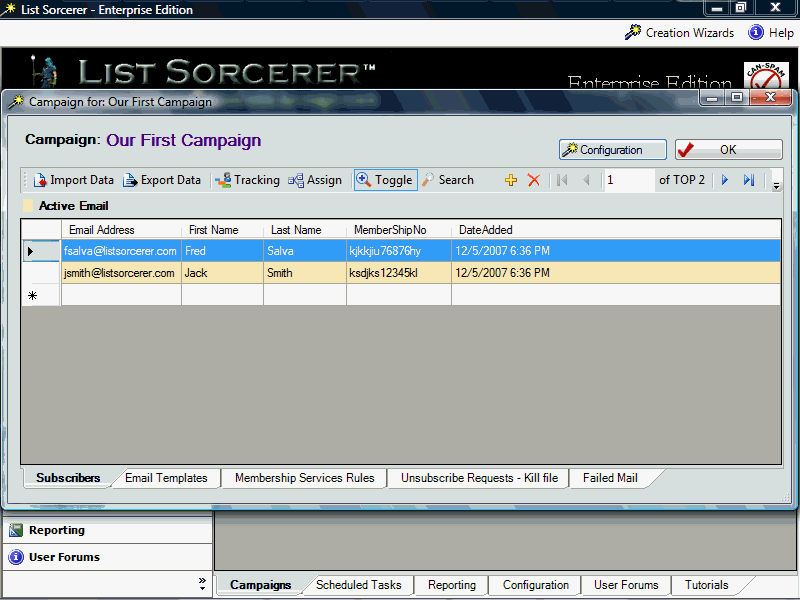
The campaign configuration may be viewed and modified at anytime by selecting the "Configuration" button from within the campaigns main window.
Upon selecting the "Configuration" button from within the campaigns main window you will be presented with the campaign configuration properties box as shown below: The campaign properties are divided into two subsections, both of which sections will be displayed in greater details below.
Fig 1.0 - Campaign Configuration

There are a total of three configurable campaign properties that can be configured above each of which we will now try to better explain.
Automatically append Can-Spam compliant information to outgoing e-mails -when this option has been selected the list sorcerer enterprise e-mail marketing system will automatically append appropriate Can-Spam compliant information about your company to the end of all outgoing e-mails. This Can-Spam compliant information is created using the company information that you originally entered when using the campaign creation wizard. It is important to view and possible edit this information which is displayed when you select the "Edit Can-Spam Compliant Information" button.
Enforce a double Opt-in Membership Verification Process -selecting this option will re-configure your campaign to ensure that all subscribers memberships to your campaign are re-verified prior to being placed into an active state and then eligible state. The verification e-mail that subscribers will be sent may be modified by selecting the "Edit Membership Verification E-mail" button.
Automatically Send a "Good-Bye" e-mail to unsubscribers -with this option selected the e-mail contained when selecting the "Edit Good-Bye E-Mail" button will be automatically sent by the system to any current subscribers at the time that they unsubscribe. Using this feature you could automatically send members unsubscribing from your list a good-bye, farewell or other type of confirmation e-mail.
Default E-mail address to use when creating new e-mail templates - whatever e-mail address is entered in here will be used as a default from address when created new e-mail templates.
Fig 2.0 - Automatic Membership Rules
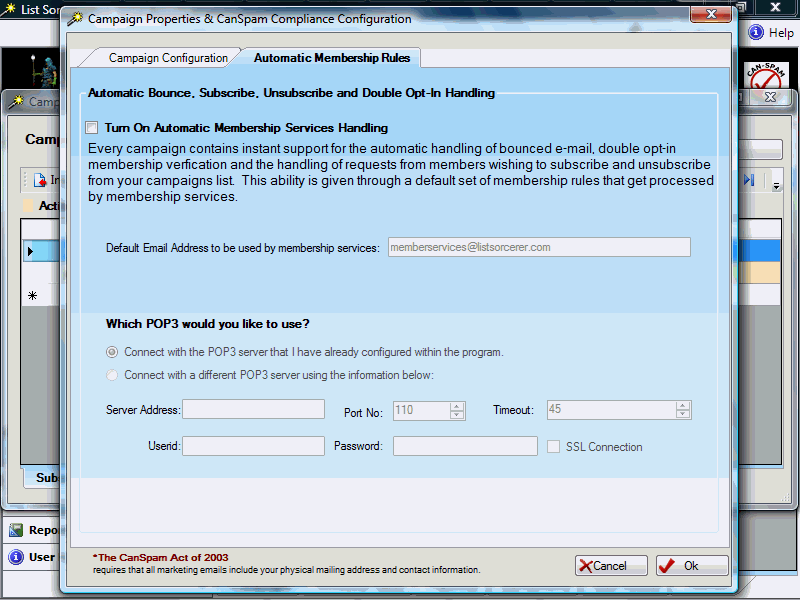
When automatic membership services have been invoked the list sorcerer enterprise system will automatically handle the most common member requests such new members wishing to join and current members wishing to leave your campaign etc. This functionality is accomplished by the system activating the default membership processing rules that were created by the campaign creation wizard when initially creating your campaign. The other disabled options displayed above will become modifiable upon selecting the option "Turn On Automatic Membership Services Handling".
Default E-mail address to be used by membership services - the e-mail address that is entered in here will be used by membership services when encoding links for members to verify membership to this campaign, subscribe to this campaign, and unsubscribe from this campaign. This e-mail address is also used within the return-path variable of your outbound e-mails.
Which POP3 would you like to use - if you would like membership services to make use of a different pop3 server and/or user id and password then what is currently configured within the application default configuration information then be sure to enter in this information in here.